
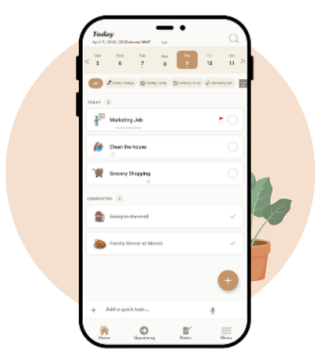
PlanUmma helps you easily organize your tasks, bring structure to your day and focus on what truly matters.
From daily to-dos to habit tracking, PlanUmma helps you confidently achieve your goals.
Features
Simple to add, easy to manage. Quickly organize your tasks without clutter or confusion.
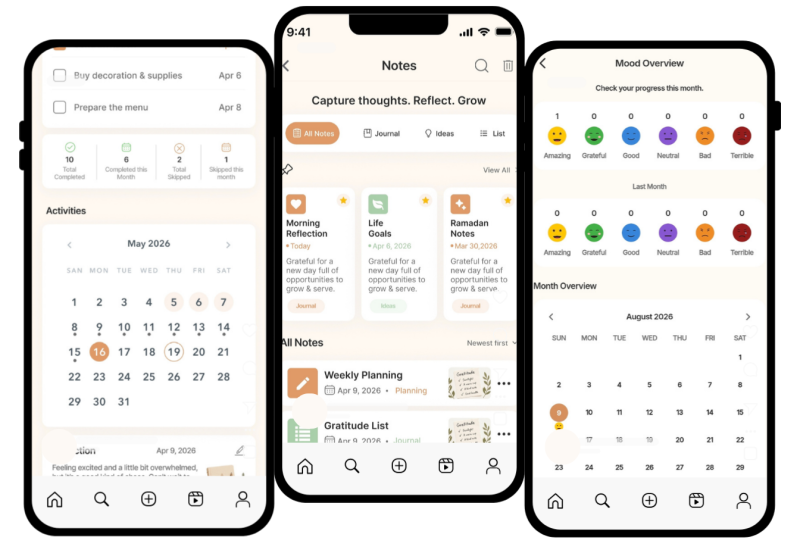
See your schedule your way. View tasks by day, week or month using the Gregorian and/or Hijri calendar.
Capture thoughts, ideas and moments. From quick notes to daily reflections.
Gently build habits that stick. Track your routines and stay consistent.
Check in with how you feel. Understand your emotional patterns and develop better self-awareness.
Stay synced across devices with secured backup for total peace of mind.
How it Works
Add your to-dos by typing or using the speech-to-text function.
Customize, prioritize and set reminders as needed.
Follow your plan and check your progress.
Join others who are organizing their lives with less stress and more focus. It’s free to get started. No sign-up required.
Yes, PlanUmma never shows ads, even in free accounts. One of the main purposes of our app is to encourage focus and prevent distraction. We want that for everyone.
Absolutely. You can even use PlanUmma without creating an account. Upgrade to unlock premium features when you’re ready.
PlanUmma is for anyone who wants to calmly and effectively stay on top of daily activities.
A reasons why it’s branded as a Muslim digital planner is because it has the option for Hijri calendar dates; making it easier for Muslims to track special Islamic dates and holidays.
User data is only stored using Google Drive Sync. It goes in a folder in user’s own Google Drive account. This feature is only available for Premium accounts.
If your Premium access is no longer showing, don’t worry. This usually happens when the app is reinstalled or you switch devices. Simply tap “Restore Purchase” inside the app. Your Premium will be reactivated as long as you are signed in with the same Google account used for the purchase.
If your tasks, notes, or other data appear to be gone, it is often just a sync or device issue. Go to the app settings and tap “Restore Backup.” This will bring back your latest saved backup and restore your data.
Your data is designed to sync automatically across devices when you are signed in. However, for safety, it’s recommended to manually create a backup from time to time. This ensures you always have a secure copy of your data in case of any sync delays or device issues.